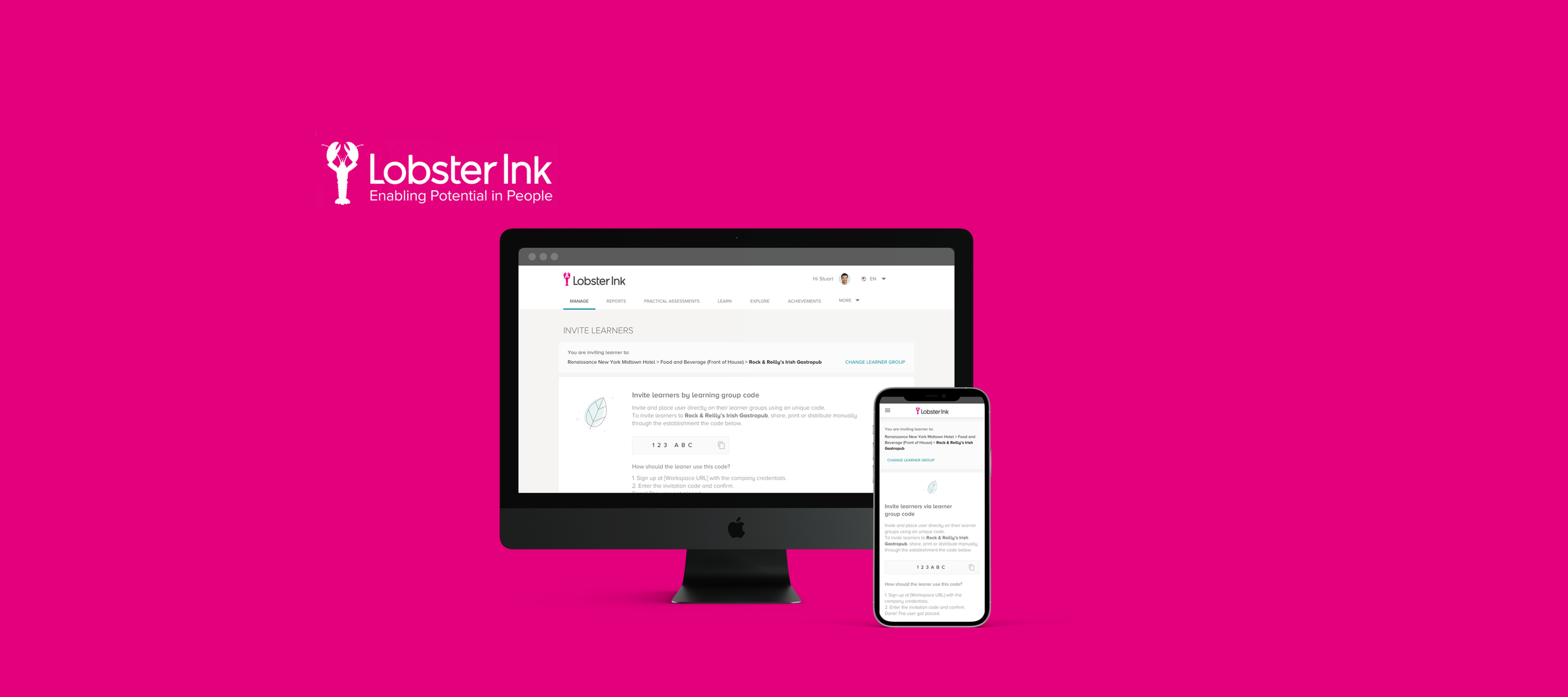
My Role
Designer Lead responsible to all the deliverables. Research, UX and UI. Working with an agile team composed by PM, User Researcher, Technical Lead, Front end, Back end, and Business developer.
Tools
Hotjar, Google analytics, User testing, Sketch, InVision
The challenge
Provide an easy way to login on the learning platform for clients which doesn't provide corporate credentials, email or single sign-on for employees.
Very manual process of onboarding was constantly causing trouble on support and blocking sales. New accounts were created or deleted every week using a spreadsheet file managed by Lobster developers.
80% of all our user base had no corporate credentials like Email or Username and Password. in 2018, 45% of all customer service tickets were related to login issues. 36h of development hours every week for handling spreadsheets.
Discovery
I started picking up the most affected audience inside of the Login and joining-in flow. Managers and Learners needs to exchange information in order to have a fluid Onboarding.
This process of talking to the users opened my eyes to many critical problems we had, but also gave a lot of motivation to seek for the opportunities.
Word of mouth. The most common way to exchange information in a hotel was during daily standups.
Bulletin board. They used to concentrate and track learning programs in a Bulletin board.
High turnover staff. Hotels doesn't provide corporate credentials because most of the staff are temporary.
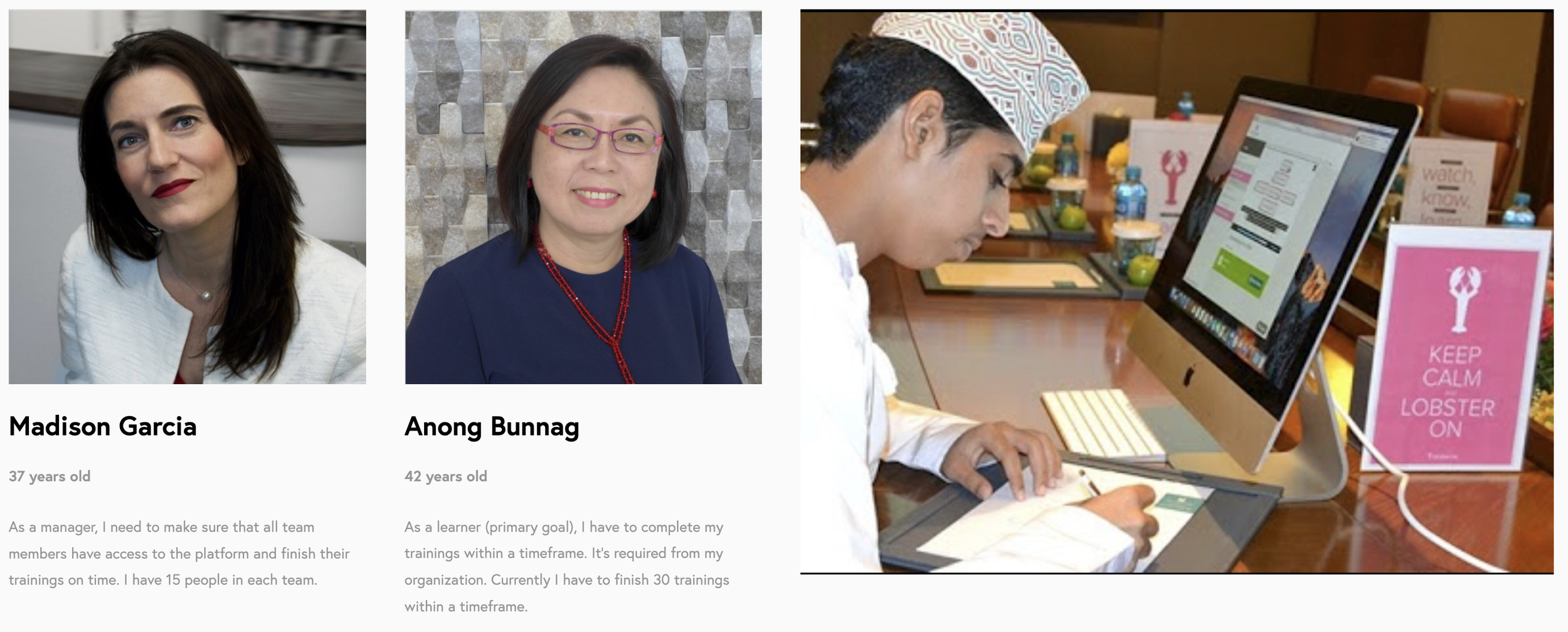
I developed two proto-personas to help me navigating the onboarding process. I also had the opportunity to investigate some of the tasks the hotel staff does while using our platform.
Design Sprint
To concentrate efforts and reduce time to gather information we decided to assemble a new team specific to work on this project. We formed a team of 5, bringing other stakeholders along the way when was necessary. As a facilitator of the sessions I decided to follow a 4 days Design Sprint method proposed by AJ&Smart and Jake Knapp to explore a possible solution for this problem. This way we could create a testable artefact within a week.
KPI's and the Definition of Success was also generated in the beginning. Without this would be difficult to know where was the north Start. The definition of success and the Objectives was printed and attached to the wall. Provide a stable solution to access Lobster Ink platform for users without Email and no SSO (Single sign-on).
"HMW” and Experience mapping
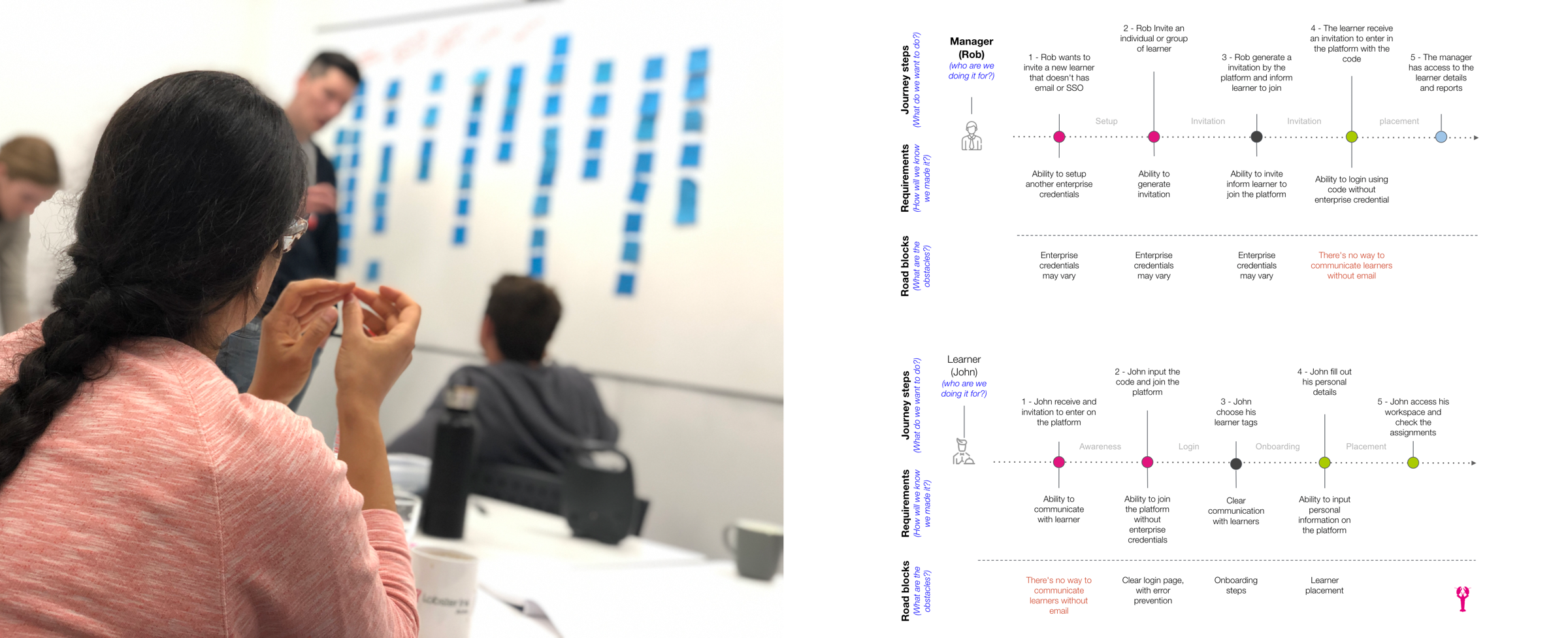
In the first day we used the framework “How might we” to generate possible ideas to the existent problem. We also had a fun and rich session drawing the experience map.
Exploring Solutions
This phase was important to decide which solution we should move forward. With representants of tech, business and design, we could explore in depth each idea.
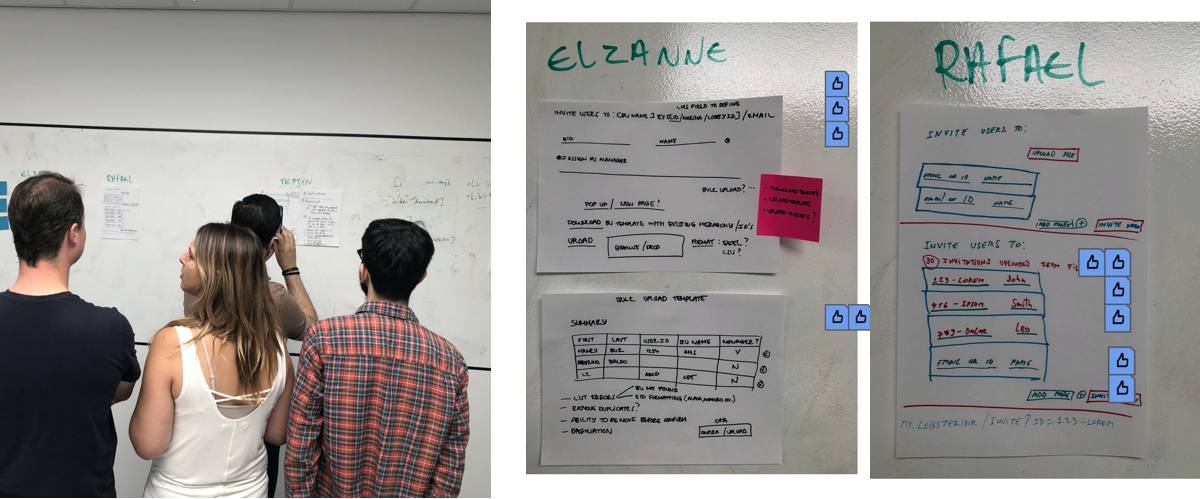
The second session was a hands on activity. All the participants (including virtual) drew their hypothesis with pen and paper, and we voted using InVision Freehand. Many bumps was found along the way such as certain kind of integration our product didn't have by the time, or certain kind of resource we couldn't consider.
The ideation session was very important to reduce the scope of the solution. We decided to refine even more the problem statement and focus in a different way to provide access to users. At this point the solution was pivoted and we started to consider to provide a code for the users. This code could be generated by a manager and then shared with the learner.
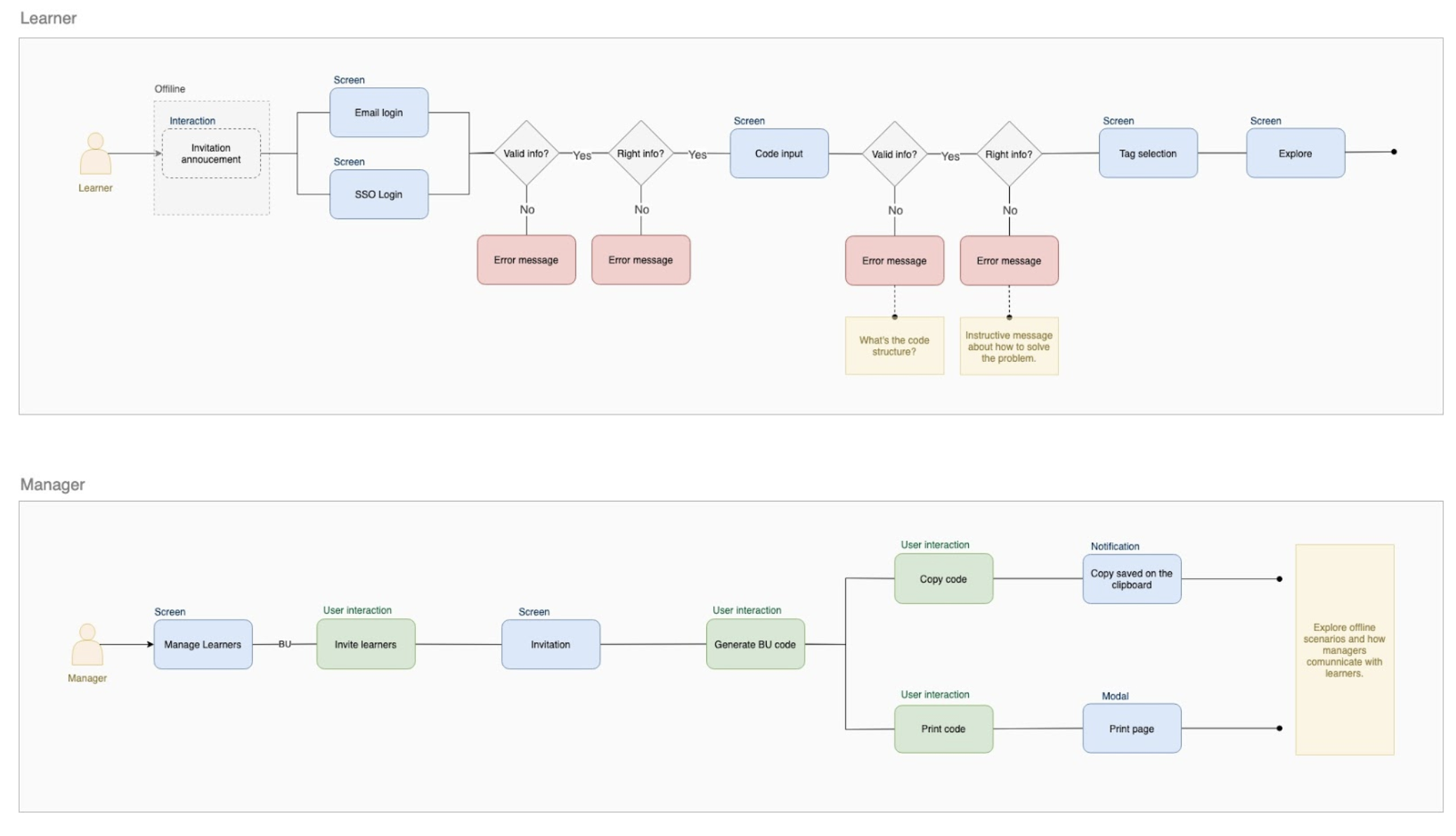
We decided to move towards one idea of generating a code and sharing with learners. They could input this code on the login and being redirected to their business unit.
The process starts when the manager sets up a code for the learner group.
The most challenging part was to help learners with the invitation awareness. It's all offline.
Prototyping and testing
After voting on the most interesting wireframes we started to build some low fidelity wireframes. Most of the pages already had templates and the Sketch library provide a good amount of components to be used. The possible flow was created in few hours and test script was already created by the User researcher.
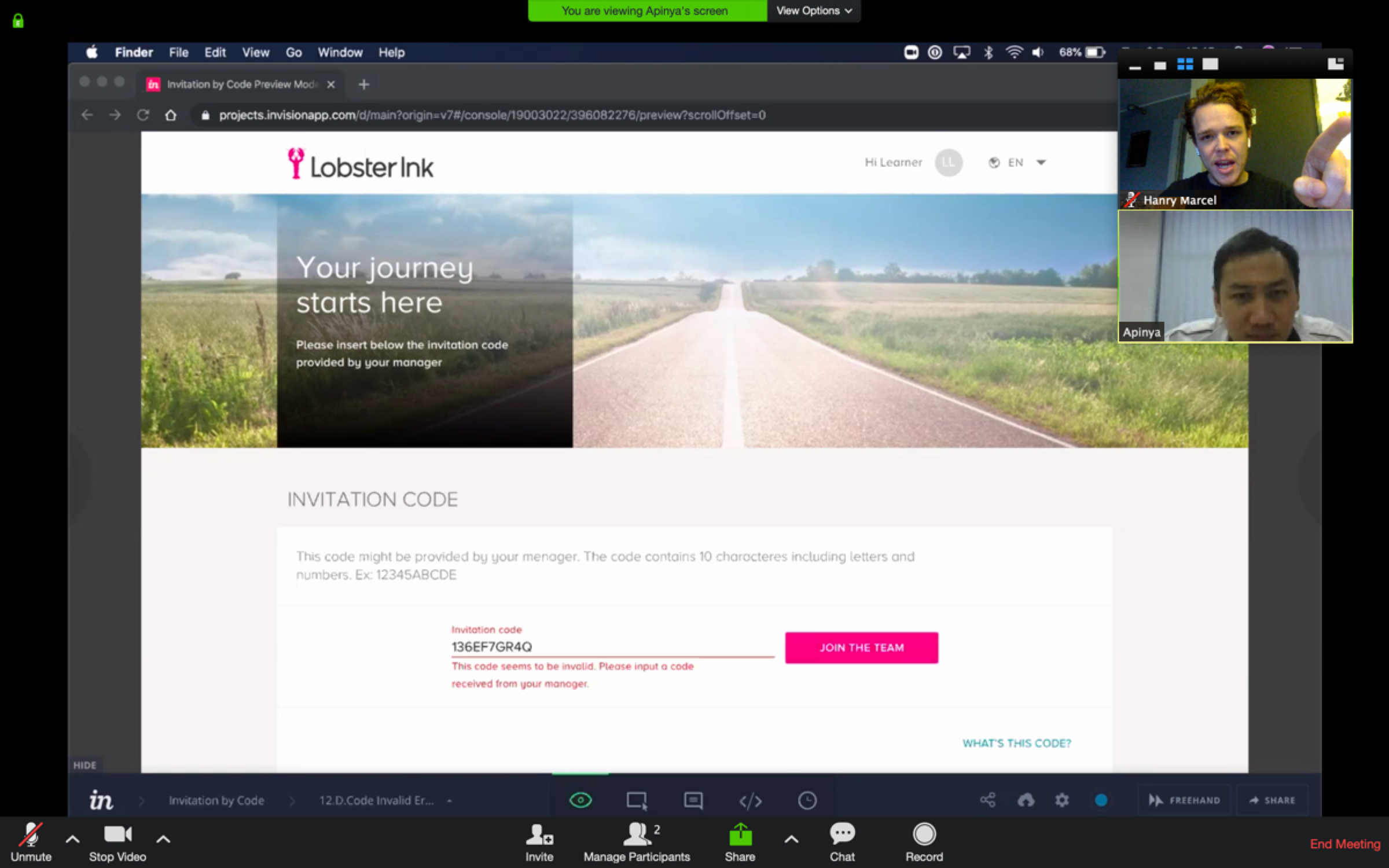
The testing phase was made using 10 participants, 5 managers and 5 staff. The solution was considerably simple but the scenario was a bit complex, the staff had to act as received a code from their manager. During this phase we identified many gaps of organisation communication. Hospitality staff usually receive instructions once in a day, the environment is usually chaotic, and they didn't know how to report a problem such as credentials lost.
Some iterations was made along the process, the main flow was validated, the results wasn't all positive but we believed the core functionality was well accepted by staff and managers. We had positive signs to move forward with the solution.
Preliminary results
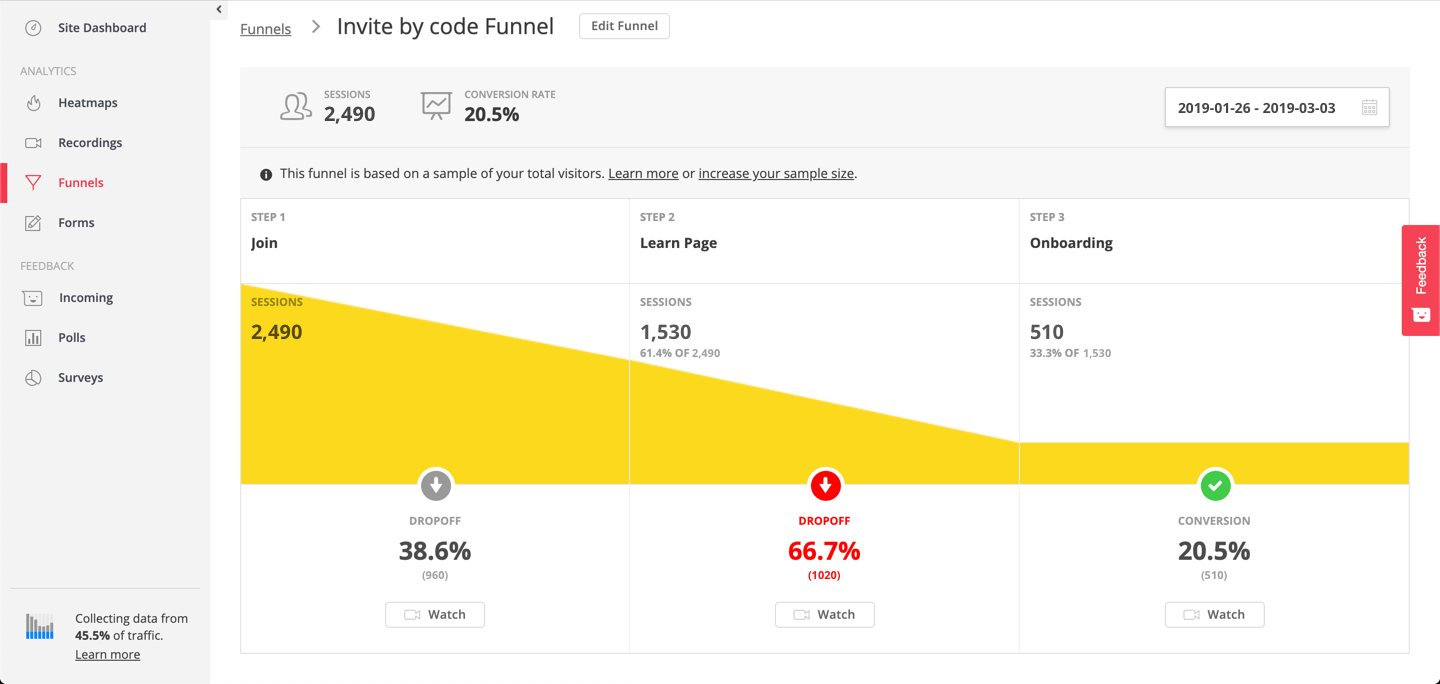
After coding and shipping the feature, our team started to measure the results. In the very first weeks of release we had no substantial numbers of traffic, but after the release notes had sent to our main customer though mailing we started to collect interesting results. They were not good. The Bounce rate was very high, and the Conversion rate was considerably low. Users was landing on the page and immediately due lack of instructions.
Some major bugs weren't considered during the Quality Assurance phase. Mobile users was having a lot of trouble to join the platform because of problems on the input field. Problems with API's and identity server was causing long time to load. Hundreds of non speaking english users from Southeast Asia couldn't understand the flow and ended up in an infinite loop.
Users often mentioned about the complexity of the code, but once we only had static prototypes we couldn't feel how would difficult this interaction.
Findings
The qual. and quant. analysis of the issues brought some interesting findings to our team.
Internationalisation issues: A big number of users were in Southeast Asia and didn't speak english. The manager were responsible to translate to learners.
Sharing the code: Users were taking picture of the code and then sharing the picture with their colleagues using messaging app.
Reiteration
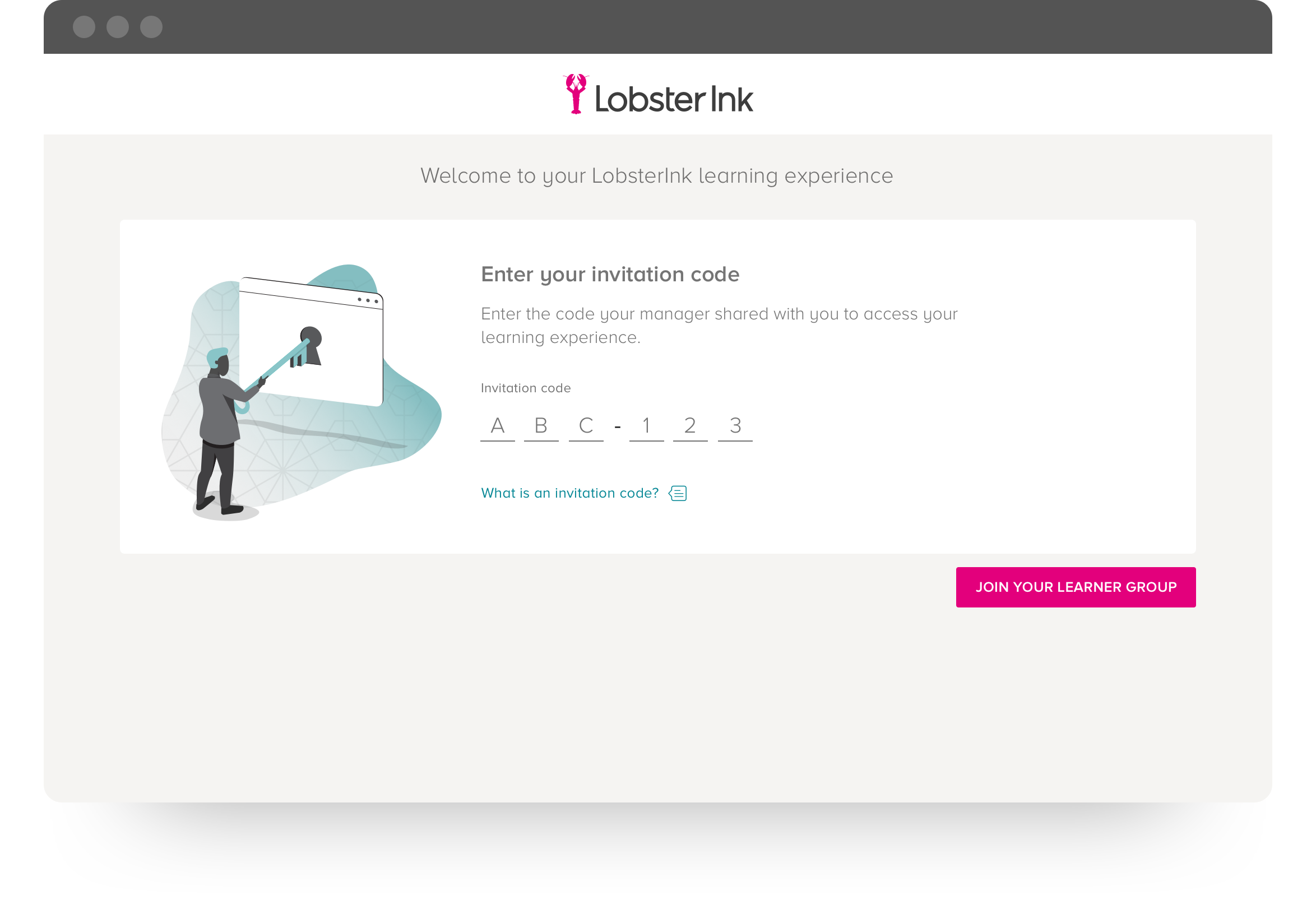
With numbers in hand we started to redesign some flows in order to fulfil the gaps we hadn't consider in the first version. Some CTA's was reviewed to facilitate the translation, and a some illustrations was created to give a better hand to users during the input coding step. In order to reduce typos we studied best practices on alphanumeric coding generator, it helped us to reduce the amount of characters accepted by the input field.
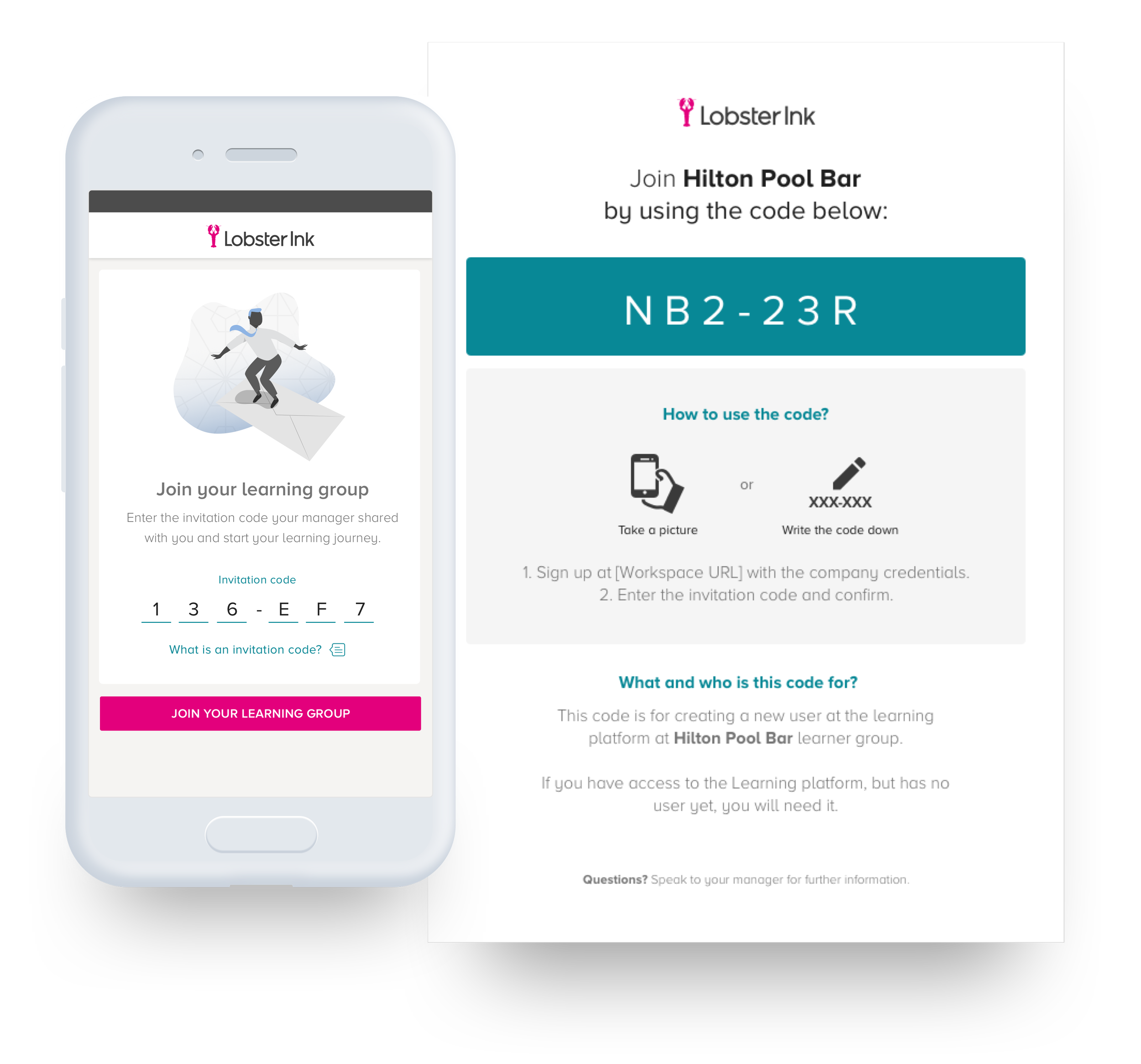
During the user interview phase some interesting about the onboarding phase was collected. Managers was writing the code in the whiteboard, os voice it loudly during morning standup meetings. The staff was taking pictures of the code or writing down in small pieces of papers to them input in the system afterwards. We saw an opportunity to help creating a printed version of the code, managers could then give the printed instructions to the staff.
Improvements
Based on the findings on the research, I decided to make some changes in order to release a better second version.
Remove signup button
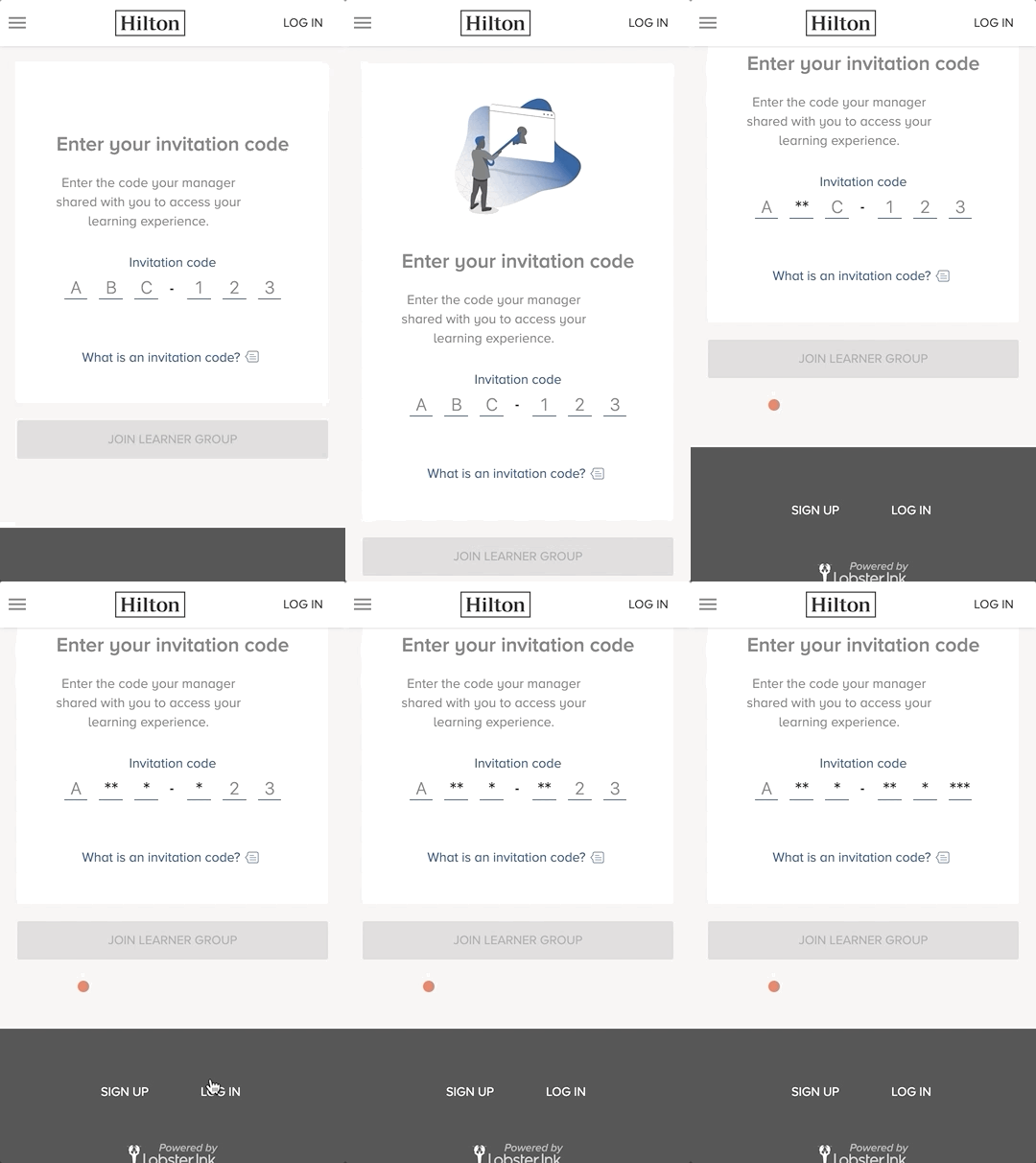
Solve technical issues and improved the code field
Add illustrations to improve the understanding
Smart code
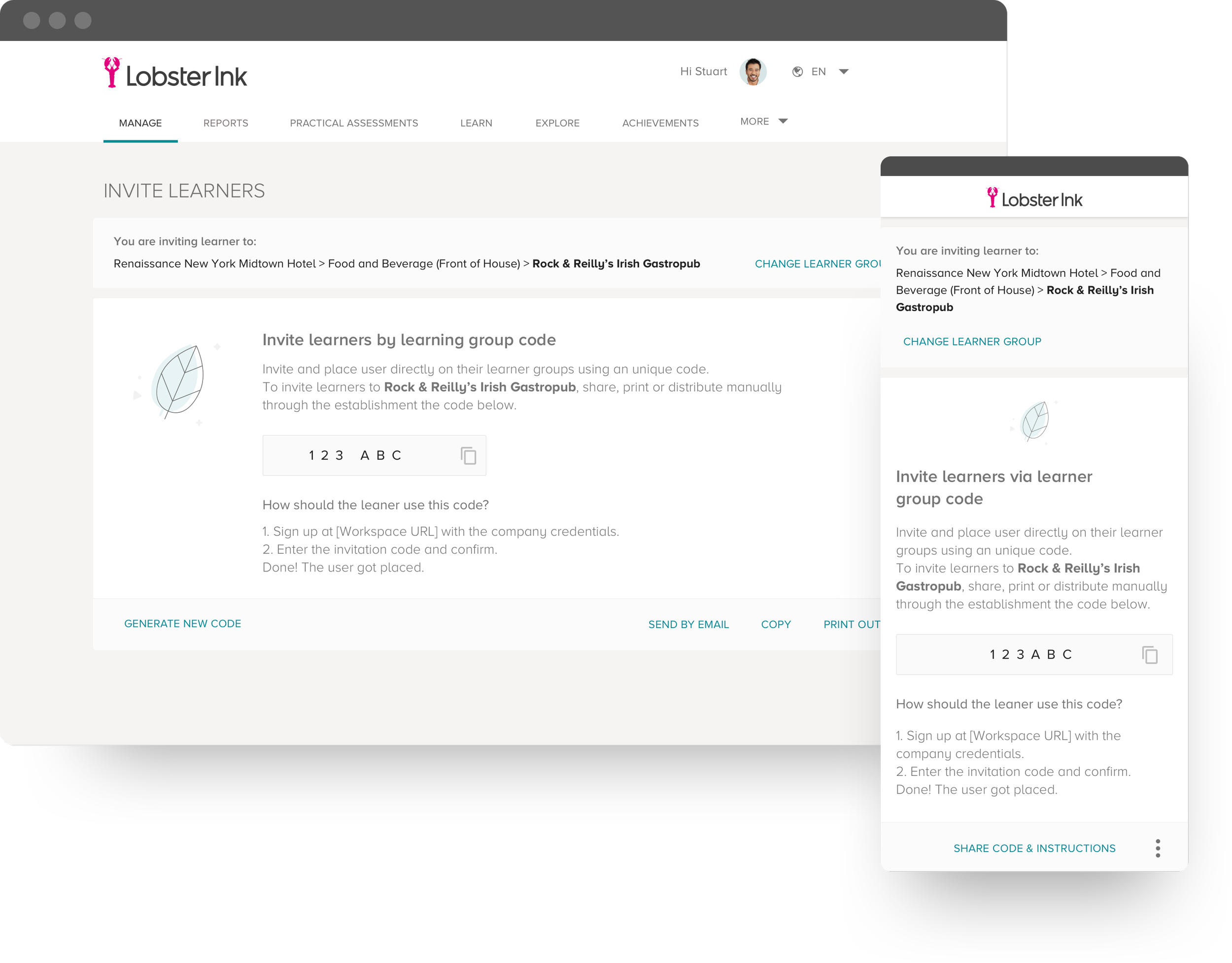
The code became even more simple and use to copy and paste. Based on the findings, I decided to add a new functionality to copy and paste the code directly from the input field.
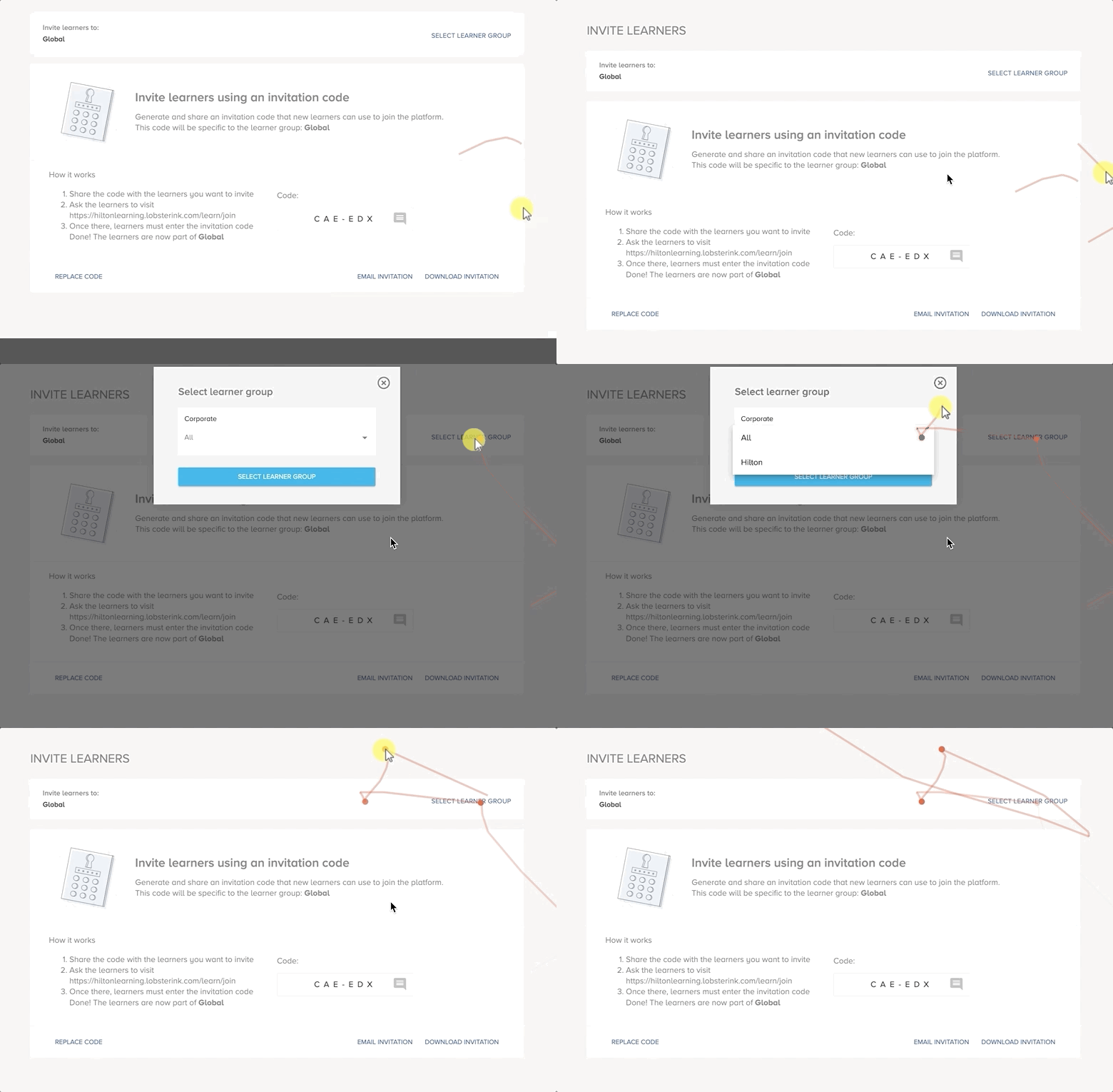
Managers generate a unique code per business units.
The code can be printed, shared by email, message, or copied.
Managers can control access of new learners by generating a new code.
Easy signup
Based on the findings from the first iteration, I decided also to generate the possibility to print the code. With this, the learners can simply copy the code from the bulletin board and paste on the phone, or even share the picture with their colleagues.
Learners receive the simple 6 digit code by message, in the daily standup, internal communication system or check on the bulletin board.
Input the code received in the mobile or web version.
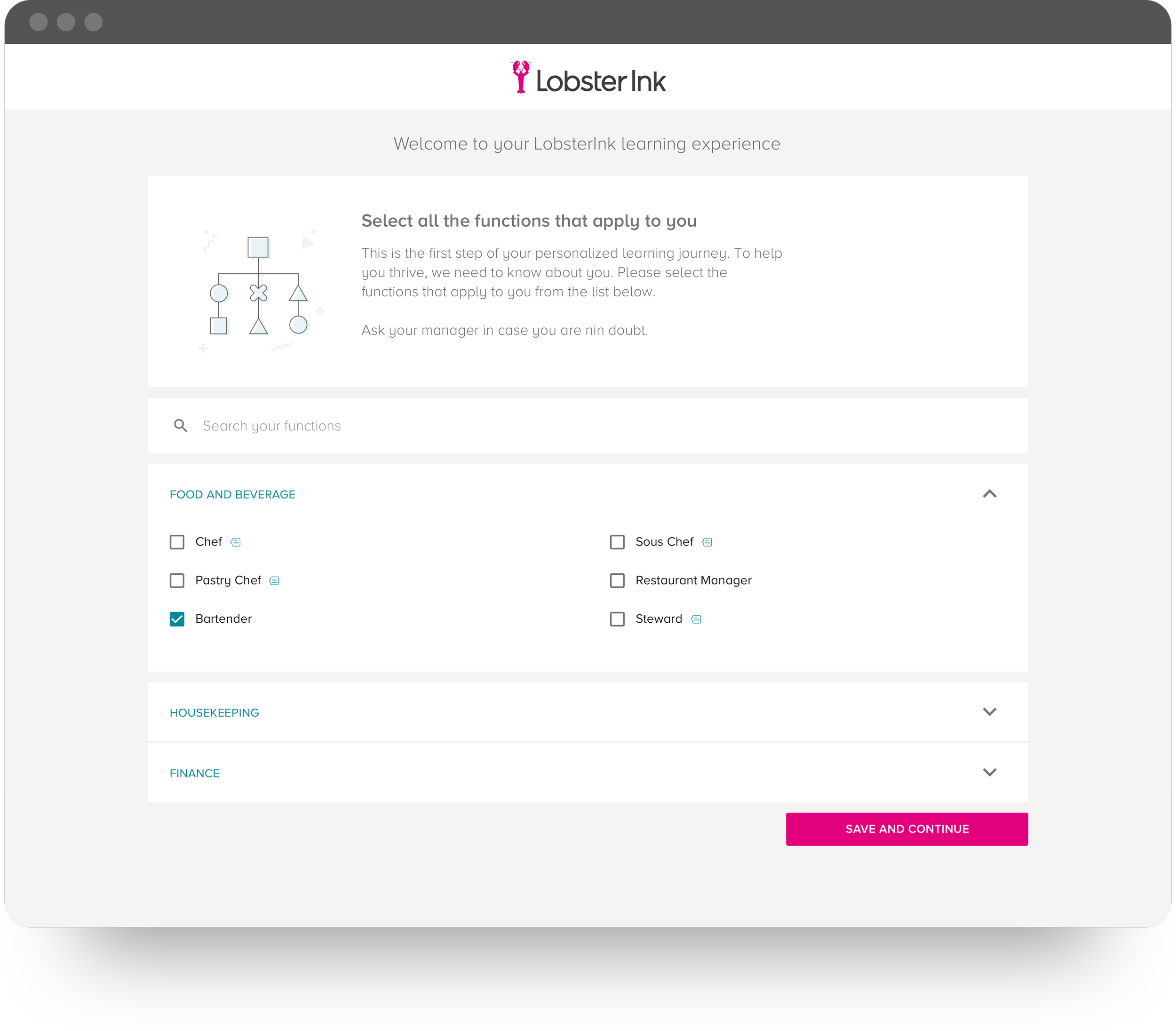
Fast onboarding
I also found an opportunity to revamp the first interaction of the Learner with the platform. The onboarding screen was redesign to be more informative. This gave a boost on the joining process.
Learners join the platform using the simple code, and choose their job tags.
The learner is automatically redirected to the learning group.
It saves time because the learner don't need to choose the group.
A new hypothesis
After the first week of release our marketing team sent the release notes for major clients. After few weeks with more traffic on the platform we could see some improvements.
Bounce rate considerably lower
Less dropoff > more conversion on the onboarding.
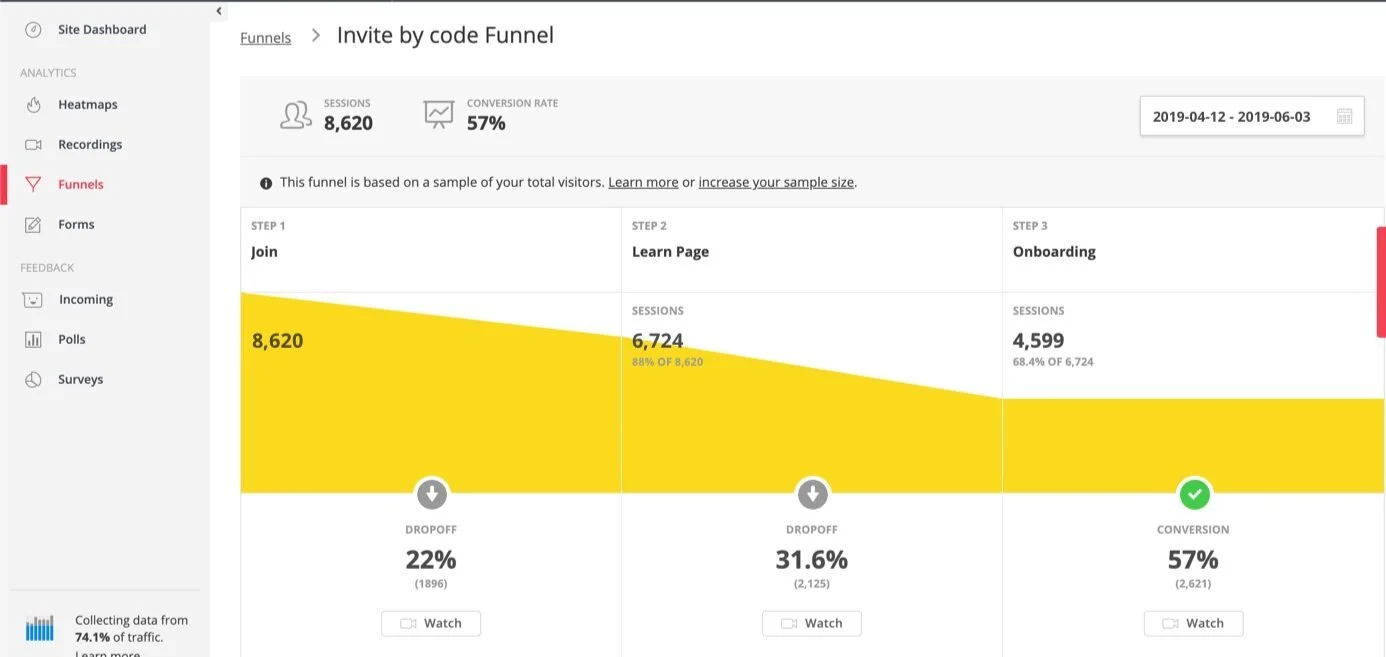
Measuring the impact
Four months after the delivery we gathered some numbers.
4 new clients
Major deals on the pipeline was closed, some reasons was directly related with the new ability of inviting staff.
Less support tickets
The support tickets related to login decreased considerably considering the amount of new accounts created.
+300K USERS
New deals and existing clients dumped a good amount of user using invitation code.
Learnings
There was many lessons learned along this project. Firstly is that Design Sprints is not a silver bullet. Deal with complex problems requires a capable team focused in an collaborative process with useful and accurate information in hand. Prepare a fertile environment to generate ideas often takes more time than a week.
Sometimes applying a User Centred approach requires resilience and a some patience. After the first iteration the team was already celebrating success and planning some upcoming feature to be build. Only after some some fight with the Product Owner we could bring evidences to the table and push the team to work on technical improvements. Without those number I assume would be impossible to see any success.
After three months of the new solution released we could see positive results. Sales team was happy with the new automatised way to provision users, managers now could invite the staff by themselves without allocating developers to help during the rollout process. 4 major deals on the pipeline was closed, some reasons was directly related with the new ability of inviting staff. Customer support saw a considerable reduction on support tickets and complaints related to login. The customer support had more time available which used to create a webinar explaining how to better use the new Invitation by Code Functionality.